The Merchant
Subscriptions & Billing 19 articles in this folder
Subscriptions & Billing 19 articles in this folder
Cancelling or changing your subscription
If you subscribed on the PixelChat website:
- Sign in
- Go to your profile and select Manage Subscription
- From there you can cancel, upgrade, downgrade or renew
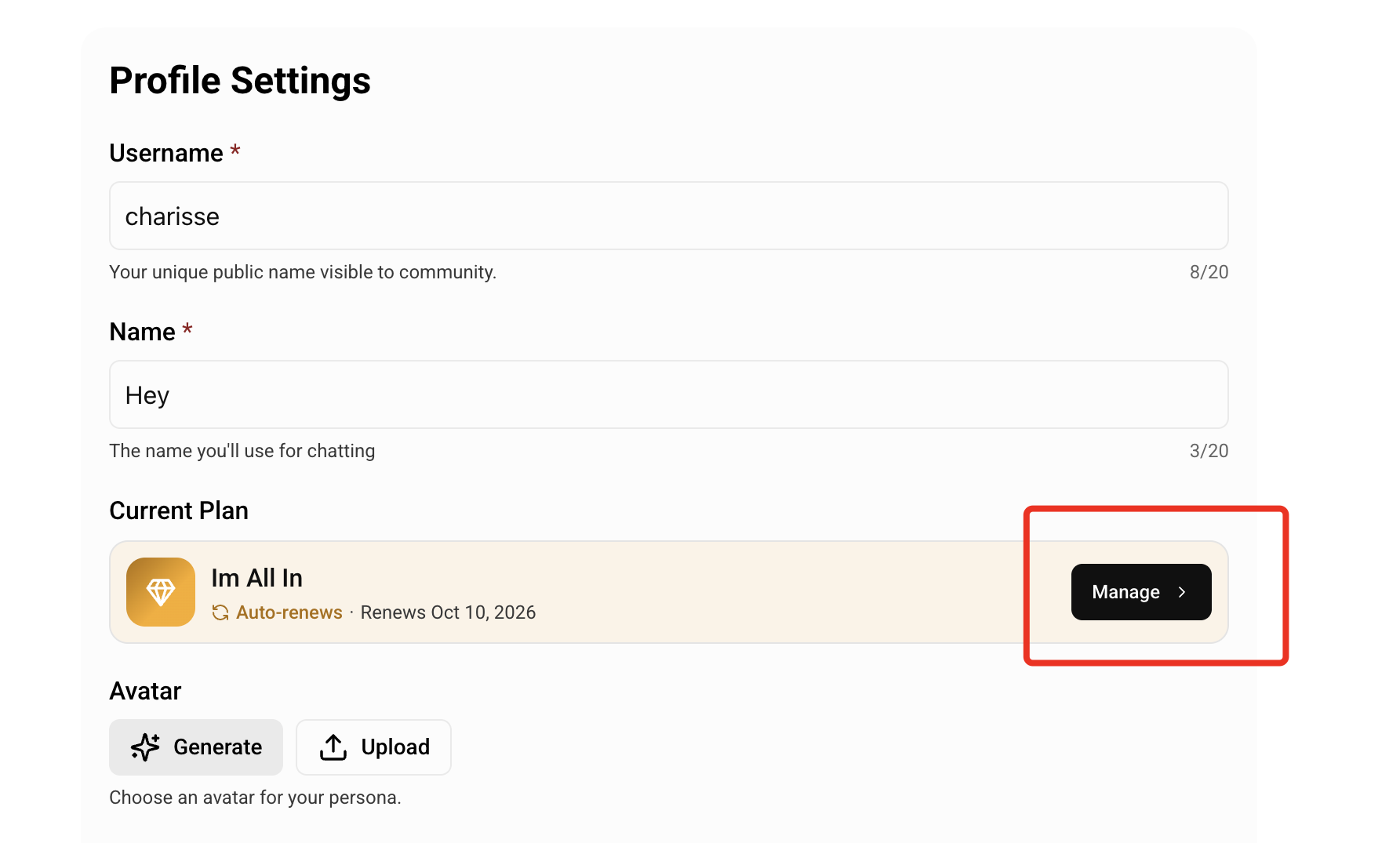
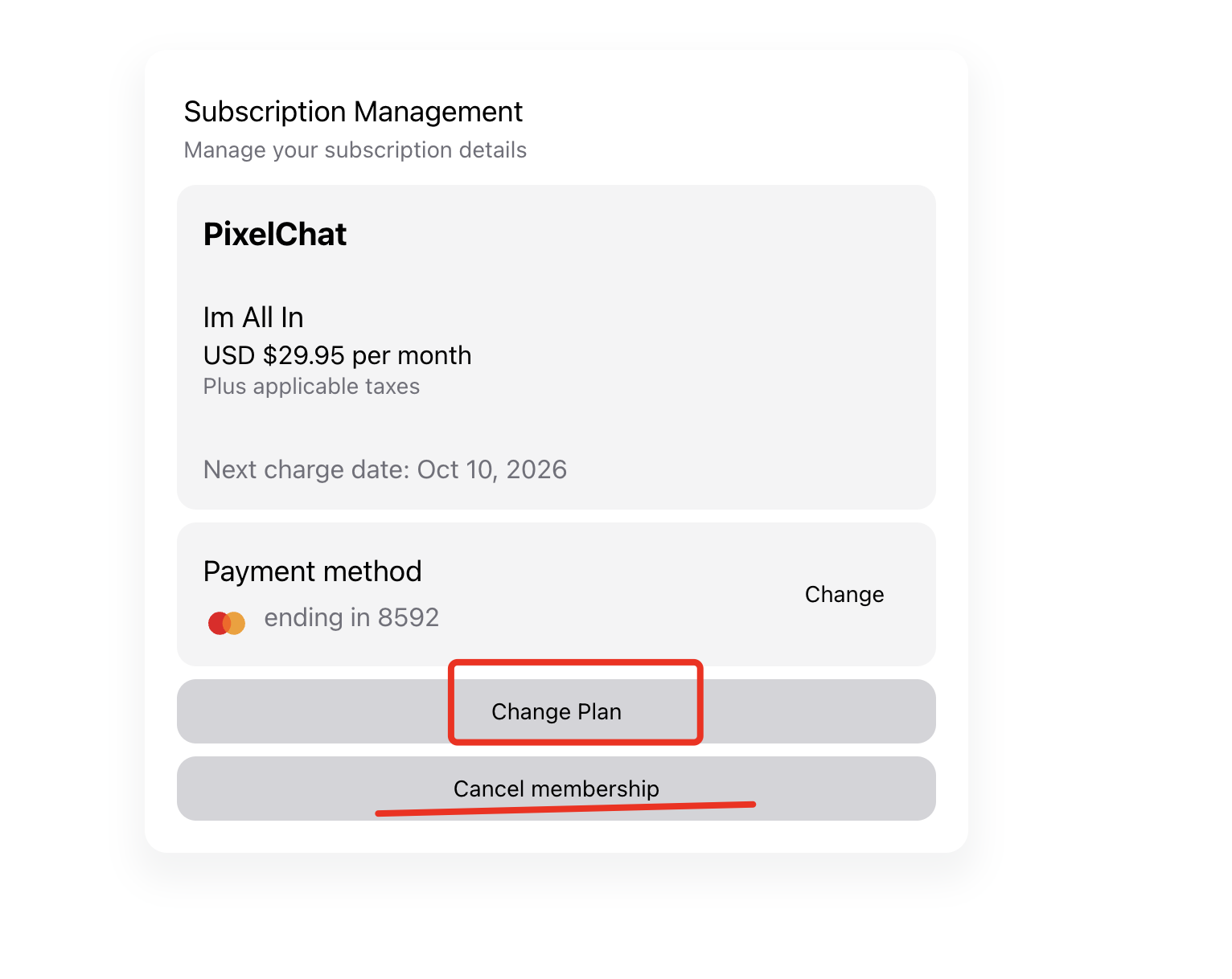
You keep access until the end of the period you've already paid for, and your account returns to the free tier afterwards. Nothing is deleted.
If there's no cancel button, your subscription was a one-time payment — see article 2.4. There's nothing to cancel.
If you subscribed through Google Play, you'll need to cancel there — see article 2.5.
You'll get confirmation. If you don't receive one, the cancellation may not have completed. Check again, and contact us if you're unsure.
Was this article helpful?
That’s Great!
Thank you for your feedback
Sorry! We couldn't be helpful
Thank you for your feedback
Feedback sent
We appreciate your effort and will try to fix the article